
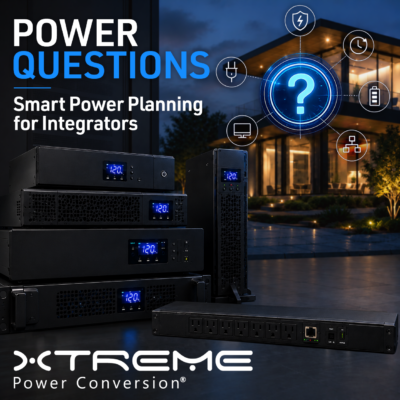
A smart home can have the latest electronics, flawless programming and an expertly designed network, yet still appear unreliable when the underlying power architecture is overlooked.
A momentary outage can reboot an automation processor. A voltage sag can knock a network switch offline. A surge can damage sensitive internal processors. A generator transition can cause equipment to restart in the wrong sequence. To the homeowner, these are rarely viewed as electrical problems. They are viewed as problems with the entire smart home system—and ultimately with the company that installed it.
That is why power protection should not be treated as an accessory added after the rack is designed. It should be part of the project discovery process.
Before specifying UPS systems, power distribution units or surge protectors, integrators should ask and answer the questions in the following article.
>
1. What Does the Client Expect to Keep Running?
“Backup power” can mean very different things to different homeowners.
One client may simply want enough ride-through to prevent a router and automation processor from rebooting during a brief utility interruption. Another may expect the security system, network, lighting controls and home office to operate for several hours. A high-end luxury home client may want nearly every critical system to remain available until utility power returns.
The integrator should define this expectation before sizing equipment.
Start by separating the home’s electronics into three categories:
- Mission-critical systems may include the network, automation processor, lighting control, security, surveillance, access control and communications.
- Experience-critical systems may include distributed audio, video distribution, a home theater or a dedicated office.
- Noncritical systems may be allowed to shut down during an extended outage to conserve available battery capacity.
This exercise does more than establish runtime requirements. It helps the integrator build a power strategy around the homeowner’s actual priorities instead of applying the same UPS configuration to every project.
>
2. Has the Entire Technology Dependency Chain Been Identified?
Protecting the automation processor is not enough if the router, modem, network switch or wireless access point loses power.
Modern smart home systems are interconnected. A lighting controller may still be operating, but the homeowner may be unable to control it if the network is offline. A surveillance system may continue recording locally, but remote access may disappear if the router reboots. A control processor may remain powered, but lose communication with PoE-powered touchscreens, cameras or access points.
Xtreme Power is an expert in the power protection and backup category and notes that commonly-installed automation processors may require several minutes to reboot and re-establish device communication. Its residential guidance emphasizes protecting the entire network stack rather than only the control processor.
Integrators should document every device required to preserve the intended user experience. That commonly includes the incoming internet equipment, firewall, router, core switch, PoE switches, wireless access points, automation processors, lighting gateways, security controllers and any devices needed for remote service.
A simple power-dependency diagram can reveal gaps that are easy to miss when equipment is evaluated one component at a time.
>
3. What Power Problems Have Occurred at the Property?
An outage is only one type of power disturbance.
Before recommending a solution, ask the homeowner and electrician about the property’s history:
- Do lights dim when large appliances or HVAC equipment starts?
- Have network devices or control systems rebooted during storms?
- Is the residence located in an area with frequent brownouts?
- Does the home operate from a generator during outages?
- Have there been unexplained equipment failures, audible noise or video instability?
 In a previous article, Future Ready Solutions identified a range of common utility problems, including blackouts, voltage sags, surges, brownouts, overvoltage, electrical noise, frequency variations, switching transients and harmonic distortion. Different UPS topologies address different combinations of these problems.
This distinction matters because a product selected only by its volt-ampere rating may provide sufficient battery capacity while delivering the wrong level of power conditioning.
A standby UPS may be appropriate for basic ride-through, whereas a line-interactive UPS adds automatic voltage regulation for certain sustained voltage conditions. For even better protection, an online double-conversion UPS continuously regenerates its output, making it better suited to sensitive or mission-critical systems where conditioned power and zero transfer time are priorities.
>
4. What Is the Real Connected Load?

UPS sizing should be based on the equipment that will actually be connected—not a general estimate based on rack size.
Create an inventory of every protected device and document its normal operating load. Where practical, measure actual consumption rather than relying exclusively on maximum nameplate ratings. The calculation should also account for startup behavior, PoE utilization, future equipment additions and the possibility that the rack will be expanded after the initial installation.
We’ve also discussed how to do this — and even provided an easy-to-use worksheet — in a previous article.
It is equally important to distinguish between capacity and runtime. A UPS may have enough output capacity to support the connected equipment but provide less runtime than the client expects. Conversely, an oversized UPS may add cost, space and service complexity without delivering meaningful value.
The completed load schedule should become part of the project documentation. It gives the integrator a defensible basis for product selection and makes future system expansion easier to evaluate.
>
5. How Much Runtime Is Actually Required?
Runtime should be defined as an operating requirement rather than treated as a generic product feature.
For some systems, the objective is to bridge interruptions lasting only a few seconds or minutes. In other applications, the UPS must keep the network and automation platform online until a generator starts. A home office, security system or critical network may require substantially longer operation.
The right question is not simply, “How long will the UPS run?” It is, “How long must this specific load operate to meet the client’s expectations?”
For standard rack-level protection, the Xtreme Power P91 provides up to 3 kVA of online double-conversion protection in a 2U rack, tower or wall-mountable platform. The 1U J90 also covers up to 3 kVA and supports external lithium battery packs on select models when longer runtime is required.
At the other end of the spectrum, the modular Xtreme Power M90S-12S scales from 6 kW to 48 kW. With additional battery cabinets, the platform can support extended runtimes of up to six hours at full load, depending on the system configuration.
The load calculation, desired runtime and available installation space should always be evaluated together.
>
6. Should Protection Be Distributed, Centralized or Hybrid?
Not every smart home should use the same power architecture.
A distributed design places smaller UPS systems near individual loads. This can work well for structured wiring enclosures, remote network cabinets, standalone media rooms and devices located away from the central rack.
The Xtreme Power J60 is designed for these space-constrained applications. Available in 350 VA and 600 VA configurations, it has an ultra-thin profile and can be mounted inside or adjacent to an enclosure.
Rack-based installations may benefit from centralized protection using a J90 or P91. These platforms provide online double-conversion protection for networking, automation and AV equipment, while the J90 adds individual outlet switching for targeted remote reboots.
Large residences may justify a centralized whole-home approach. The M90S-12S can support multi-rack AV systems, centralized networking, lighting infrastructure, security and other selected household loads through one modular platform.
In many projects, the strongest design is hybrid: centralized protection for the main technology infrastructure combined with compact UPS units for remote or isolated devices.
>
7. Is There a Generator, Solar System or Residential Battery?
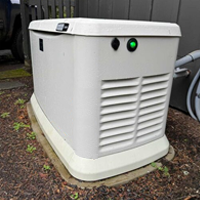 A generator and a UPS perform different jobs.
A generator will provide long-duration power, but it normally requires time to detect an outage, start and transfer the load. A UPS supplies immediate ride-through during that transition. An online UPS can also help isolate sensitive electronics from certain voltage and frequency variations associated with changing power sources.
Integrators should coordinate with the electrical contractor to understand:
- Which circuits are connected to backup power?
- How long generator startup and transfer normally take?
- Whether load shedding is used?
- What voltage and frequency conditions the UPS will receive?
- Which systems should remain on UPS power during an extended outage?
- How the UPS, generator and smart home platform will report their status?
The same questions apply when the home includes solar generation or a residential energy-storage system. These technologies should be treated as components of a coordinated power architecture, not as automatic replacements for equipment-level power protection.
>
8. Does the Home (and Integrator) Need Remote Monitoring and Reboot Capability?
Power protection can do more than keep equipment online. It can also improve serviceability.
Many residential service calls involve a device that is powered but no longer responding. Without remote outlet control, the resolution may require a technician to visit the home simply to unplug and restart the device.
The Xtreme Power J90 provides individual outlet switching, allowing an integrator to reboot a specific connected component without shutting down the rest of the rack.
For installations requiring broader outlet-level management, the Xtreme Power SPDU Smart PDU provides remote switching and metering by outlet. It can monitor device-level power consumption, sequence equipment startup and reboot individual components through web or SNMP management. A smart PDU does not provide battery backup on its own, so it is typically installed downstream from a UPS.
For integrators supporting multiple residences, remote power management can reduce truck rolls, shorten recovery times and improve the economics of service agreements.
>
9. What Are the Physical and Electrical Constraints?
The power system must fit the installation environment as well as the electrical load.
Before selecting equipment, confirm the available rack units, cabinet depth, mounting orientation, ventilation, ambient temperature, input circuit, plug configuration and service access.
Noise can also matter in residential spaces. Equipment installed in a bedroom closet, media cabinet or living area may have different acoustic requirements than equipment located in a dedicated mechanical room.
Compact platforms such as the J60 and short-depth J60C are designed for confined enclosures and shallow cabinets. The J90 packages online double-conversion protection into a 1U chassis and is rated for operation at temperatures up to 50°C. For larger centralized installations, the M90S-12S includes front access, hot-swappable modules and an integral maintenance bypass to improve serviceability.
These requirements should be resolved with the electrician, rack designer and mechanical contractor early in the project. Discovering that the specified UPS requires a different branch circuit or more physical clearance after the rack has been installed can create unnecessary delays and cost.
>
10. What Is the Long-Term Maintenance Plan?
Every power system should have a lifecycle strategy.
The proposal should identify who will monitor the UPS, how alerts will be handled, when batteries are expected to require service, whether bypass capability is available and how equipment will remain powered during maintenance.
Battery chemistry is an important part of that discussion. Xtreme Power’s LiFePO₄-based J60, J90 and P91 Li platforms are rated for service lives of up to 15 years under proper operating conditions. This can substantially reduce routine battery replacement compared with conventional lead-acid UPS platforms.
Longer-life batteries do not eliminate the need for monitoring or service planning, but they can reduce lifecycle disruption—especially when UPS systems are installed in difficult-to-access enclosures or across multiple residences.
The maintenance plan should be included in the project scope, not left for the homeowner to discover several years after installation.
>
Power Protection Is Part of the Smart Home Experience
Homeowners do not evaluate their smart homes as a collection of processors, switches and power supplies. They evaluate the overall experience.
Does the system respond when they need it? Does the network stay available? Does the security system remain operational? Can problems be resolved without waiting for a service appointment?
A well-designed power architecture supports all of these outcomes.
By asking the right questions during discovery, integrators can move beyond simply adding a surge protector or UPS to the equipment list. They can design a layered strategy that combines power conditioning, battery backup, intelligent distribution, remote management and long-term serviceability.
Future Ready Solutions offers Xtreme Power solutions for applications ranging from compact structured wiring enclosures and residential AV racks to multi-rack systems and whole-home backup. Engaging Future Ready Solutions early in the design process can help integrators evaluate connected load, runtime, form factor and management requirements before the project reaches the installation phase.
Because a smart home is only as reliable as the power supporting it.